Description
Game Introduction
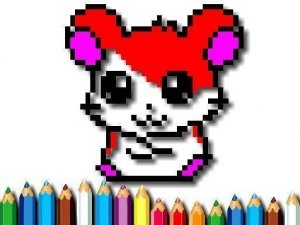
Pixel Art Coloring Time Online Game is a calm and creative activity designed for children and families. It provides a collection of cute pixel art images that can be colored directly on the screen or printed for offline use. The core objective is to fill in pixel squares using a simple color palette, allowing young artists to express their imagination freely. There are no timers or scores, so kids can color at their own pace, making it perfect for quiet time, travel, or a screen break. The intuitive interface helps children develop fine motor skills while creating beautiful masterpieces. This game brings artistic exploration and joy to everyone, offering a relaxing screen-based creative outlet that also supports offline play. It is ideal for parents looking for a safe, non-competitive digital activity that encourages focus and relaxation.
How to Play
Players typically start by selecting a pixel art image from the gallery. They then choose a color from the palette and click or tap on any pixel square to fill it. A zoom feature is often available for detailed work or to see the whole picture. If a mistake is made, an undo button allows correction. After finishing, the artwork can be saved digitally or the original outline can be printed to color with crayons or markers. The game is easy to navigate and encourages kids to color at their own speed, with no pressure from timers or scoring.
Game Features
Features include free pixel art coloring pages for kids, with both online and printable options. The interface is easy to use, and all designs are cute and family-friendly. The game supports a relaxing, creative experience without timers or scores, allowing children to focus and relax while making art. It may also include a variety of images to choose from, ensuring fresh content for repeated play.
Tips for Success
To get the most out of the game, encourage children to explore different color combinations and take their time with each picture. Using the zoom feature can help with precise coloring on small areas. If a mistake happens, the undo button makes it easy to correct. For offline fun, print the outlines and use traditional art supplies like crayons or markers. This helps reinforce fine motor skills and creativity away from the screen.