Finger Painting Art Studio

Finger Painting Art Studio

Genre: Art , Creative , Relaxation , Family , Drawing , Coloring

Developer: High Pixel Core
Published: 2024-08-27
Updated: 2026-06-06

Reviews

Finger Painting Art Studio offers a stress-free way to express creativity. The simple touch controls and wide color palette make it easy for anyone to create art. With no timers or scores, it is perfect for relaxation. The ability to save and share artwork adds to the enjoyment. Highly recommended for families and art enthusiasts.

Description

Game Introduction

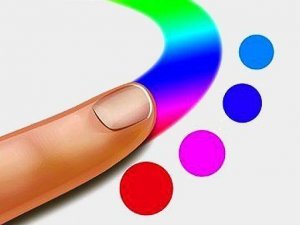
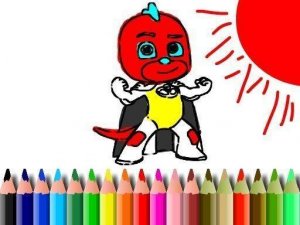
Finger Painting Art Studio is a free online drawing and coloring activity designed for players of all ages. It provides a blank canvas and a set of colorful tools, allowing anyone to create art with simple finger or mouse movements. The game focuses on creativity and relaxation, with no scores, timers, or pressure. Users can choose from various brush sizes and a wide palette of colors to make unique pictures. Pre-made outlines are available for those who prefer guided coloring. This game is ideal for children exploring art or adults seeking a calming hobby. It turns any device into a digital sketchpad, encouraging self-expression and fun.

How to Play

Playing Finger Painting Art Studio is straightforward. Start by selecting a blank canvas or a pre-made outline. Use your finger on a touchscreen or a mouse on a computer to draw and color. Choose a color from the palette and adjust the brush size to create fine details or broad strokes. Scribble, paint, and add layers as you like. There are no rules, so you can experiment freely. The game responds smoothly to touch, mimicking real finger painting. Once finished, you can save your artwork to your device or share it with friends. The simple controls make it accessible for beginners, while the creative freedom appeals to experienced artists.

Game Features

Finger Painting Art Studio includes a variety of colorful tools. The interface is intuitive and easy to navigate. Players can enjoy endless creativity with no time limits or scores. The game is family-friendly and safe for all ages. It supports saving and sharing creations, allowing users to show their work. The responsive touch controls make drawing feel natural and fluid. These features combine to provide a relaxing and engaging artistic experience.

Tips for Success

Experiment with different brush sizes and color combinations to discover your style. Use the pre-made outlines if you want a guided start. Take your time and enjoy the process without worrying about mistakes. Sharing your finished artwork can inspire others and give you a sense of accomplishment. Regular practice helps improve your control and creativity.
Compatibility

✅ This game supports:
- Desktop browsers (Chrome, Edge, Safari)
- Mobile browsers (Chrome on Android, Safari on iOS)
❌ Does NOT support: - Internet Explorer - Very old browser versions
👉 Try refreshing or updating your browser
Faq
Can I use Finger Painting Art Studio on my tablet or smartphone?
Yes, the game is designed to work on touchscreen devices like tablets and smartphones. It also works on computers using a mouse. The controls are responsive and mimic real finger painting.
Is there a way to undo a mistake while drawing?
The game may include an undo feature, but this is not guaranteed. If you make a mistake, you can simply paint over it with the correct color or start a new canvas. The relaxed nature of the game encourages experimentation.
Can I print my artwork from the game?
Printing is not a built-in feature, but you can save your artwork to your device and then print it using your device's standard print options. This allows you to keep physical copies of your creations.
Are there any in-app purchases or ads in the game?
The game is described as free, and there is no mention of in-app purchases or advertisements. It is designed to be a safe, family-friendly experience without interruptions or costs.
Does the game offer different themes or backgrounds for the canvas?
The game provides a blank canvas and pre-made outlines. It may include different background colors or themes, but this is not specified. You can always create your own backgrounds using the drawing tools.
Can multiple people draw on the same canvas at the same time?
The game is designed for single-player use. There is no mention of multiplayer or collaborative features. However, you can share your finished artwork with others after saving it.
Advertisement