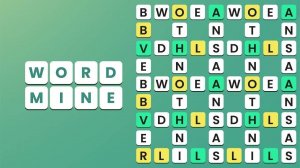
Word Mine: Word Search Puzzle

Word Mine: Word Search Puzzle

Genre: Casual , Puzzle

Developer: Stealth Veil Digital
Published: 2024-02-20
Updated: 2026-06-06

Reviews

Word Mine delivers a satisfying word search experience with well-structured puzzles. The difficulty curve is gradual, making it accessible for beginners while still challenging regular players. Daily challenges add replay value, and the clue system prevents frustration. It is a reliable choice for mental exercise.

Description

Game Introduction

Word Mine is a word puzzle game that transforms letter grids into a treasure hunt for words. Players explore a colorful board filled with scrambled letters, searching for hidden terms by connecting adjacent letters horizontally, vertically, or diagonally. Each level presents a fresh set of words to uncover, with difficulty gradually increasing to keep the mind engaged. The game provides a safe, family-friendly environment for vocabulary building and pattern recognition. With its intuitive design, Word Mine is suitable for both casual players and word game enthusiasts looking for a structured challenge.

How to Play

To play Word Mine, start by looking at the grid of letters on your screen. Your goal is to find all the hidden words listed on the side. Tap or drag your finger across adjacent letters to form a word. The word can go in any direction: horizontally, vertically, or diagonally. Once you correctly select a word, it is marked as found and removed from the list. If you get stuck, use the clue system for hints. Complete the level by finding every word, then advance to the next puzzle with increased complexity.

Game Features

Engaging word search puzzles with varied themes. Multiple levels of increasing difficulty to challenge your skills. Helpful clue system to assist when you are stuck. Colorful and friendly interface designed for all ages. Daily challenges to keep the experience fresh.

Tips for Success

Word Mine offers a relaxing way to improve vocabulary and concentration. The puzzles are short enough for quick breaks but engaging for longer sessions. To improve, try scanning the grid for common letter patterns or prefixes. Use the clue system sparingly to build your own word-finding skills. Practice regularly to recognize words faster and improve your pattern recognition. Taking breaks can help maintain focus and prevent frustration on harder puzzles.


Compatibility

✅ This game supports:
- Desktop browsers (Chrome, Edge, Safari)
- Mobile browsers (Chrome on Android, Safari on iOS)
❌ Does NOT support: - Internet Explorer - Very old browser versions
👉 Try refreshing or updating your browser
Faq
Is Word Mine free to play?
Word Mine is typically free to download and play, though it may include optional in-app purchases for hints or to remove ads. The core gameplay and many levels are usually available without any cost, making it accessible for everyone.
Can I play Word Mine offline?
Word Mine is likely playable offline once downloaded, as word search puzzles typically do not require an internet connection. However, features like daily challenges or ad-supported content may need connectivity to refresh or load.
Does Word Mine have a timer?
Word Mine generally does not include a timer, allowing players to solve puzzles at their own pace. This makes it a relaxing experience suitable for casual play without time pressure, though some modes or challenges may optionally track completion time.
How many levels are in Word Mine?
The exact number of levels in Word Mine is not specified, but word puzzle games of this type typically offer dozens or even hundreds of levels. The difficulty increases gradually, providing long-term engagement for players who enjoy progressive challenges.
Is Word Mine suitable for children?
Yes, Word Mine is designed to be family-friendly and suitable for all ages. Its colorful interface, simple mechanics, and focus on vocabulary building make it an educational and safe choice for children, with no violent or inappropriate content.
Can I play Word Mine on both phone and tablet?
Word Mine is typically optimized for mobile devices, including both phones and tablets. The touch-based controls work well on various screen sizes, and the interface likely adapts to different resolutions for a comfortable experience on any device.
Advertisement