 MermaidFight Hub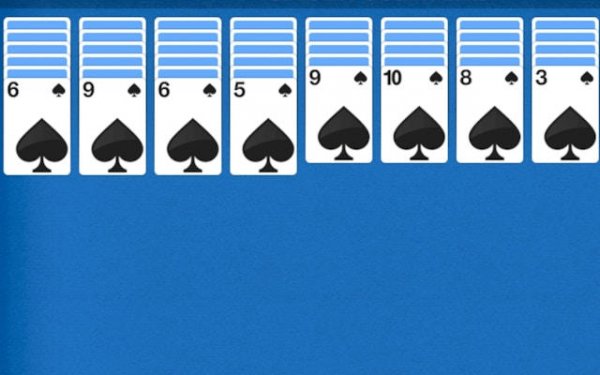
Azure Spider Solitaire Challenge
Azure Spider Solitaire Challenge offers a refined take on the classic solitaire format. The blue color scheme is easy on the eyes, and the adaptive difficulty ensures that both newcomers and veterans find the right level of challenge. The unlimited undo feature encourages experimentation, making it a great tool for learning strategy. Speed challenges add optional excitement without detracting from the core relaxing experience. This is a well-crafted puzzle game that respects the player's time and intelligence.
Core Objective and Layout
Players work with two standard decks shuffled together, aiming to build eight descending runs of matching suits. Each run must start with a King and end with an Ace. When a complete sequence is formed, it is automatically cleared from the table. The playing area consists of ten columns, with the first four columns each holding six cards and the remaining six columns each holding five cards. The remaining cards form a stockpile that can be dealt in groups of ten.
Strategic Movement and Planning
Cards can be moved between columns as long as they are in descending order, regardless of suit. However, only complete sequences of the same suit can be moved as a group. This restriction encourages careful planning. Players must decide whether to build temporary stacks of mixed suits or focus on completing one suit at a time. Empty columns provide valuable flexibility, allowing any card or valid sequence to be placed there.
Visual Design and User Experience
The game features a soothing blue color scheme that reduces eye strain during extended play sessions. Card graphics are clear and easy to read, with large numbers and symbols. The interface is minimal, with no distracting animations or clutter. Controls are responsive, and the layout adapts well to different screen sizes. The overall design creates a calm atmosphere that supports focused thinking.
Difficulty Adjustment and Tools
An adaptive difficulty system subtly increases or decreases the challenge based on player performance. Beginners may find more favorable deals, while experienced players encounter tougher arrangements. An unlimited undo function allows players to reverse any move without penalty, encouraging experimentation. This feature is especially useful for learning optimal strategies and recovering from mistakes.
Speed and Efficiency Modes
For those who enjoy a faster pace, optional speed challenges track completion time. Players can try to finish a game as quickly as possible while maintaining accuracy. These timed sessions add a layer of excitement without overwhelming the core relaxing experience. The timer can be toggled on or off at any time, giving players full control over their preferred style of play.
Building Proficiency Over Time
Regular play helps develop pattern recognition and forward-thinking skills. Common techniques include exposing hidden cards early to open up more moves, creating empty columns to enable complex sequences, and using the undo feature to test different approaches. With practice, players learn to anticipate the consequences of each move and improve their completion rate. The game rewards patience and careful planning rather than speed.







Player Comments
0 comments